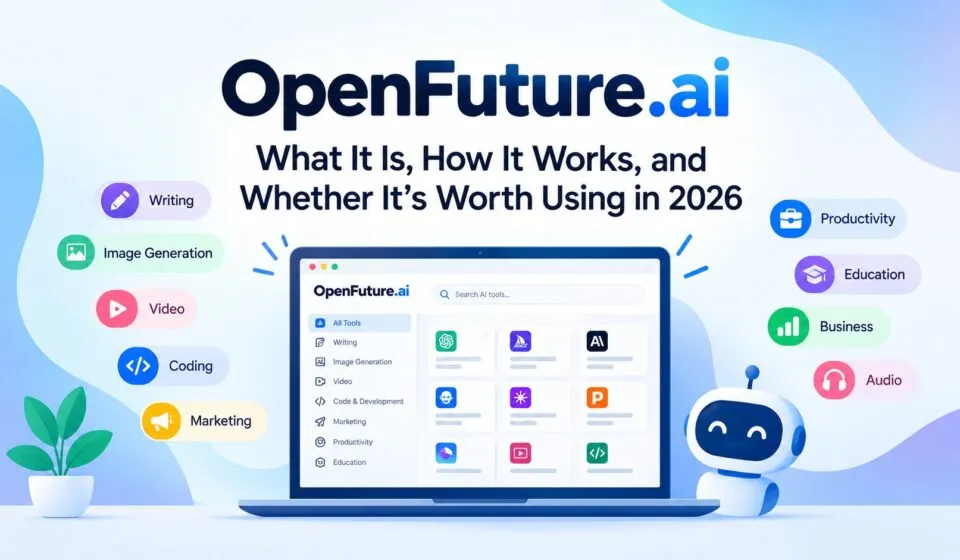
Finding the right artificial intelligence tool can take time, especially when thousands of platforms offer similar features. openfuture.ai helps simplify this process by bringing AI tools together in one searchable directory. Users can explore solutions for writing, marketing, coding, image creation, video production, productivity, and many other tasks. Instead of visiting dozens of websites to discover new software, they can start their search in one place. But is OpenFuture.ai actually useful, and can it help you choose the right AI tool? This detailed review examines its features, categories, pricing filters, advantages, limitations, and practical uses.
What Is OpenFuture.ai?
OpenFuture.ai is an online directory designed to help people discover artificial intelligence tools. It organizes software into categories so visitors can explore solutions based on their needs, interests, and budgets.
The platform is different from an AI chatbot or content generator. It does not primarily exist to create articles, generate images, or write code directly for users. Instead, it helps people find other platforms that offer those capabilities.
For example, someone looking for an AI writing assistant can browse relevant listings, review their descriptions, check the displayed pricing information, and visit a tool’s website to learn more. The same process applies to image generators, video editors, coding assistants, and other AI-powered services.
According to its official features page, the directory covers 75 categories and lists tens of thousands of tools. The exact number changes as listings are added or updated.
This broad collection is the platform’s main attraction. It offers a starting point for people who want to explore the growing AI software market without researching every product individually.
How Does OpenFuture.ai Work?
OpenFuture.ai follows a straightforward discovery process. Rather than requiring users to learn a complicated system, it lets them search for tools, browse categories, apply filters, and visit external websites.
1. Search for an AI Tool
The search function is useful when you already know the type of software you need. For instance, you might search for an AI video generator, an SEO assistant, or a tool that converts speech into text.
Search results help you identify relevant listings without manually browsing every category. However, the quality of your results depends on the search term and the information available in each listing.
A broad query such as “AI tools” may return too many options. A more specific query, such as “AI tools for creating social media videos,” can make the discovery process more focused.
2. Browse Different Categories
If you are unsure which tool will solve your problem, category browsing is a useful alternative.
You can explore areas such as writing, image generation, marketing, coding, education, and productivity. This approach is particularly helpful when researching unfamiliar software or looking for a new solution to an existing problem.
For example, a small business owner exploring marketing tools might discover an email assistant, an AI copywriting platform, or a social media content generator.
3. Apply Pricing Filters
Budget is an important consideration when choosing software. OpenFuture.ai provides pricing filters that help visitors narrow the directory by options such as free, freemium, free trial, paid, and contact for pricing.
These filters can reduce the number of tools you need to investigate. They do not necessarily mean that every feature of a listed product is available without payment.
Always check the provider’s website for current subscription details, usage limits, and cancellation terms before making a purchase.
4. Review a Listing and Visit the Provider
After finding a potentially useful tool, read its description and examine the available information. Then use the link to visit the provider’s website.
This final step matters because OpenFuture.ai functions primarily as a discovery directory. The actual software experience, account registration, payment process, and product features are generally handled by the individual provider.
A listing is a starting point for research, not proof that a product is reliable or suitable for your requirements.
Main Features of OpenFuture.ai
The usefulness of openfuture.ai depends on how well its discovery features support your search. Here are the main features worth understanding before you use the platform.
Extensive AI Tools Directory
One of the platform’s strongest features is the size of its catalog.
OpenFuture.ai advertises a directory containing tens of thousands of AI tools. Its listings cover different industries, skill levels, and use cases, giving users a broad selection of software to investigate.
A large catalog can be particularly helpful when popular tools do not meet your needs. You may discover a specialized product designed for a particular task rather than relying on a general-purpose AI assistant.
However, quantity alone does not guarantee quality. A directory with many listings can include products that overlap in functionality or provide limited value for your specific requirements.
Best use: Treat the directory as a discovery resource, then shortlist the products that offer the features you actually need.
Search and Category Navigation
Searching by function helps users move from a broad idea to a smaller group of relevant products.
The category system is also useful for exploring software beyond familiar brands. A person searching for content creation tools, for example, may discover services for transcription, translation, video editing, or presentation design.
This is useful for beginners who do not yet know the names of specific AI products.
It can also help experienced users research a market before selecting software for a business or personal project.
Pricing Filters for Different Budgets
OpenFuture.ai makes it possible to filter listings by their displayed pricing model. The available options include free, freemium, free trial, paid, and contact for pricing. Some listings may also have an unknown price or indicate that the product has not launched.
This feature can help users avoid spending time on products that are clearly outside their budget.
Still, the word “free” needs careful interpretation. A product might offer free access with restrictions on monthly usage, exports, storage, or advanced features.
Likewise, a free trial may require payment details or automatically convert into a paid subscription. Check the provider’s terms before registering.
Recommended Tools
OpenFuture.ai includes a Recommended section that highlights a subset of its listings.
This can be a convenient starting point when the full directory feels overwhelming. Instead of reviewing every result, users can first explore the products that the platform places in this section.
However, the presence of a recommendation should not replace independent evaluation. Unless the selection criteria are clearly explained, you should not assume that a recommended listing is objectively the best option for every user.
Consider the product’s features, reputation, pricing, and relevance to your task before making a decision.
Newly Added Listings
The directory also includes a section for newly added tools.
This feature is useful because the AI software market changes quickly. New platforms appear, existing services introduce new capabilities, and some products change their business models.
Exploring new listings may help developers, creators, marketers, and technology enthusiasts discover emerging solutions.
There is one important limitation: being newly listed does not necessarily mean a tool is innovative, secure, or better than established alternatives. New products may have limited documentation, fewer reviews, or features that are still developing.
Treat recently added listings as opportunities for further research rather than automatic recommendations.
Save Favorite Tools
The platform offers a favorites feature, with login required to use certain account-related functions. Its interface includes sign-in options such as Google and Discord.
Saving tools can help you organize research when comparing multiple products.
For example, a freelancer might save three writing assistants, two image generators, and one transcription service for later evaluation.
This is more practical than keeping every product in an unorganized collection of browser tabs. However, a saved list is only the beginning of the comparison process. You still need to evaluate the products against your requirements.
Direct Links to AI Providers
The directory connects users with the websites of listed products.
This makes it easier to move from discovering a tool to examining its actual features. You can check product documentation, explore examples, review subscription plans, and determine whether it supports your workflow.
The benefit is convenience. The limitation is that the experience after clicking a listing depends on the third-party provider.
Before sharing personal information, uploading confidential files, or paying for a subscription, verify that you are on the intended provider’s official website.
AI Tool Categories Available on OpenFuture.ai
One reason to explore openfuture.ai is its broad selection of software categories. Rather than focusing on one type of AI application, the directory covers tools for creative work, business operations, software development, research, and everyday tasks.
The following sections explain how different users can benefit from these categories.
AI Writing and Copywriting Tools
AI writing tools can help users draft articles, rewrite sentences, summarize information, and develop content ideas.
They may be useful for bloggers, SEO professionals, copywriters, students, and business owners who regularly produce written material.
For example, a content writer can look for tools that support:
- Blog outlines and article drafts.
- Product descriptions and advertising copy.
- Grammar and sentence improvements.
- Summaries of long documents.
- Content rewriting and tone adjustments.
- Multilingual writing and translation.
The most suitable tool depends on the job. A grammar assistant is not necessarily the best option for keyword research, and a general chatbot may not offer the editorial controls of a dedicated writing platform.
When exploring writing software through OpenFuture.ai, check whether the tool supports your preferred language, provides useful editing controls, and allows you to export your work.
AI-generated text should also be reviewed for factual accuracy, originality, search intent, and readability before publication.
AI Image Generation and Editing
Image tools help users create visual content from text prompts or modify existing images.
Depending on the product, these applications may support illustrations, product photography, concept art, social media graphics, background removal, image enhancement, or image-to-image transformations.
They can be useful for designers, online sellers, bloggers, advertisers, and social media managers.
When comparing image generators, pay attention to output quality, image resolution, editing flexibility, generation limits, and commercial usage rights.
For example, a business that needs product images may prioritize consistent backgrounds and realistic product details. An artist may care more about creative control and different visual styles.
OpenFuture.ai helps you discover potential options, but you must visit each provider to test its output and confirm whether its licensing terms fit your intended use.
AI Video Generation and Editing
Video-related tools can support a range of tasks, including generating clips from text, animating still images, editing footage, adding subtitles, and creating videos for social media.
These applications are particularly relevant to YouTube creators, marketers, educators, and businesses that produce video content regularly.
Some tools focus on generating new footage, while others concentrate on editing existing recordings. Others offer features such as automated narration, avatar videos, or video resizing.
Before choosing a tool, consider how much control it gives you over the final result.
Check supported video lengths, resolution, export formats, rendering speed, watermark restrictions, and credit limits. If you plan to use the videos commercially, review the licensing terms as well.
A tool that generates attractive short clips may not be suitable for producing a longer educational video. The best choice depends on your production needs.
AI Coding and Developer Tools
Developers can explore AI applications designed to assist with writing code, debugging, explaining programming concepts, generating tests, and improving development workflows.
These tools may be useful for beginners learning a programming language as well as experienced developers working on complex projects.
Possible applications include:
- Code completion and suggestions.
- Debugging assistance.
- Code explanation and documentation.
- Test generation.
- Database query assistance.
- Low-code and no-code development.
- Repetitive development task automation.
When evaluating coding assistants, check the programming languages they support, how well they understand larger projects, and whether they integrate with your preferred development environment.
Security is equally important. AI-generated code can contain errors or vulnerabilities. Review it carefully, run appropriate tests, and avoid exposing confidential source code to services that have not been approved for your work.
OpenFuture.ai can help you identify products to evaluate, but it cannot guarantee that their code is correct or safe.
AI Marketing and SEO Tools
Marketing professionals can use AI software for content planning, keyword research, advertising copy, social media management, competitor analysis, and campaign automation.
SEO professionals may be particularly interested in tools for keyword clustering, content optimization, search intent analysis, internal linking, and reporting.
However, not every tool listed in a marketing category will provide all these capabilities. Some focus on generating content, while others handle analytics, research, or campaign management.
When searching for an SEO solution, begin with the specific problem you want to solve.
For example, if your main challenge is organizing keywords into topic clusters, look for tools that support keyword grouping and search intent analysis. If you need to improve existing pages, prioritize content auditing and on-page optimization features.
Remember that AI-generated content does not automatically rank well in search engines. Search performance still depends on usefulness, accuracy, competition, website quality, and whether the page satisfies the user’s intent.
AI Productivity and Automation
Productivity tools aim to reduce repetitive work and help people organize tasks more efficiently.
Depending on the product, they may support meeting summaries, note-taking, document management, scheduling, workflow automation, task organization, and connections between business applications.
These tools can be useful for freelancers managing several projects or teams handling recurring administrative tasks.
For instance, a meeting assistant may generate a transcript and summary, while an automation platform might move information between connected applications.
Before adopting an automation tool, check its integrations, permission requirements, reliability, and error-handling options.
Automation can save time, but poorly configured workflows can also send incorrect messages, update the wrong records, or expose information to unintended recipients. Test important workflows before relying on them.
AI Chatbots and Virtual Assistants
AI chatbots and virtual assistants can help users answer questions, brainstorm ideas, summarize information, and complete routine tasks.
Some focus on general conversation, while others specialize in customer service, research, education, or particular industries.
A business might use a chatbot to answer common customer questions. A student may want a learning assistant that explains difficult concepts. A researcher might look for a tool that can search sources and summarize documents.
Compare the tools based on their actual capabilities rather than their marketing descriptions.
Important considerations include source citations, file support, response quality, privacy controls, and the ability to recognize uncertainty.
A confident answer is not always a correct answer. For important decisions, verify the information against reliable sources.
AI Audio, Speech, and Transcription Tools
Audio tools cover applications such as speech-to-text transcription, text-to-speech conversion, voice generation, audio editing, and podcast production.
These services can be useful for podcasters, journalists, educators, content creators, and businesses working with recorded conversations.
For transcription, accuracy across accents and languages is an important consideration. Background noise, overlapping speakers, and specialist terminology can affect results.
For voice generation, evaluate pronunciation, naturalness, language support, and the available licensing terms.
If you are processing recorded conversations, confirm that you have the necessary permissions and that the service’s privacy policy meets your requirements.
AI Education and Research Tools
Education and research tools may help users explain concepts, summarize material, organize information, and study unfamiliar subjects.
Teachers can explore tools for lesson planning, while students may benefit from practice questions and personalized explanations. Researchers may find services for literature discovery, document analysis, and summarization.
These applications should support learning rather than replace independent thinking.
Always verify quotations, references, statistics, and academic claims. Some AI tools can generate incorrect citations or present unsupported information confidently.
For research-heavy tasks, prioritize services that identify their sources and make it possible to check the original documents.
How to Use OpenFuture.ai Step by Step
If you are new to the platform, follow this process to make your search more efficient.
Step 1: Define Your Goal
Start by identifying the task you want to complete.
Do you need to write content, create a logo, edit a video, analyze data, or automate an administrative process?
A clear objective helps you avoid browsing irrelevant categories.
Step 2: Open the Directory
Visit the OpenFuture.ai homepage and begin exploring the available listings.
You can start with the search function if you know what you need, or browse categories if you want to discover new types of software.
Step 3: Narrow Your Search
Use a specific search phrase and apply the relevant category or pricing filters.
For example, if you need a free transcription tool, look for transcription-related listings and select the appropriate pricing filter.
Keep in mind that pricing information may change and a free listing may have usage restrictions.
Step 4: Shortlist Relevant Products
Choose a few tools that appear to match your requirements.
Read their descriptions and note which features are important to you. Avoid selecting a product simply because it appears first or has an appealing description.
Step 5: Visit the Official Websites
Open the shortlisted products and review their actual features, documentation, and pricing.
Check whether the service requires an account, limits free usage, supports your workflow, or offers a trial.
Step 6: Test the Best Options
Where possible, use the same sample task to test each product.
For example, if you are comparing AI writing tools, ask each one to produce a short piece of content using the same instructions. Compare accuracy, readability, editing effort, and output quality.
This creates a more useful comparison than relying on descriptions alone.
Step 7: Choose Based on Results
Select the tool that delivers the best balance of quality, price, ease of use, and reliability.
The most popular product may not be the right one for you. A simpler, less expensive option could be more practical if it meets your requirements.
Who Should Use OpenFuture.ai?
OpenFuture.ai can serve different audiences because its directory covers a wide range of software categories.
Bloggers and SEO Professionals
Bloggers can explore tools for writing, editing, research, keyword analysis, and content planning.
SEO professionals may use the directory to discover specialized applications for technical audits